
Free app for image to document conversion
JPG to PDF Converter is a free-to-use productivity tool that makes it easy to convert image files into a document file. Despite only mentioning JPG and PDF in the app name, it actually accepts, converts, and compiles other graphics file formats into a singular PDF document. With its power and convenience, it is a must-have in any office.
Top Recommended Alternative
While there are other PDF conversion programs available such as PDF Converter or Total PDF Converter, JPG to PDF Converter fills a unique gap in the market: a quick and easy conversion of scanned documents in image format to an easy-to-read PDF.
Convert your images to documents
Instead of having to view scanned or photographed images one by one, often in changing resolutions or even directions, you can fix and present it in a document file. Of course, the JPG to PDF Converter is limited in its output file type. If you need to convert files to other document formats, you’ll need other programs. However, PDF is great for office settings precisely because it cannot be edited.
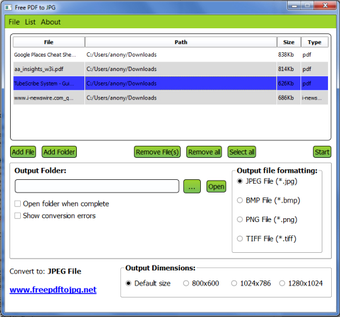
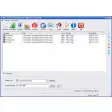
Even if this is a PDF tool for free, its interface is exceptionally easy to use. It doesn’t require technical expertise. With just a few clicks of the mouse, your conversion work basically completes itself before you. You just need to add the files then check and arrange them according to the right sequence. Once everything is set, just click the “Convert” button and wait for the resulting document to be available.
Another great feature that sets this app apart is that it gives you an option to make your resulting document uniform by setting a paper size for the PDF file. With this feature, you can print all your converted images with the same paper size, and you can even check how these will appear before you convert. This gives you a sense of knowledge and confidence, especially if you’re set to present the file afterwards.
Not intended for large tasks
While the JPG to PDF Converter processes files fast enough, it’s important to note that the number and quality of images can affect the conversion speed. Attempting to use high-quality images (with large file sizes), as well as trying to convert too many photos in one instance, can significantly slow down the conversion procedure. You may either reduce the resolution or convert with less photos at a time.
Unfortunately, the app also only lets you add photos one at a time. The “Add Photo” button doesn’t allow for adding photos by batch or by entire folders. This makes for a tedious experience for projects that involve a lot of pages. An alternative would be to convert it into smaller batches and use another program to combine the separate PDF files you’ve previously generated since this app is also incapable of combining multiple files.
Perfect for small conversion tasks
With its quick conversion and easy interface, the JPG to PDF Converter is a handy app to have in any workspace. It accepts a lot of file types for photos, graphics, and images, although its output file type is limited to only PDF. Additionally, it has limitations against high-resolution files and high-volume projects, so while it works well, you will need other apps to help cover its shortcomings.